What's inside
As an Amazon Associate I earn from qualifying purchases. This post may contain affiliate links at no extra cost to you.
What we cover
CNC Router Prices: What to Expect at Every Budget
A CNC router price can range from about $200 for a small, entry-level machine to $10,000 or more for a rigid, production-ready system, with larger industrial routers costing far more. For most woodworkers, the machine is only part of the bill: plan for a router or spindle, workholding, bits, dust collection, software, and setup costs too.
The right price depends less on a machine’s headline size than on what you need it to cut, how often you’ll use it, and how much adjustment you’re willing to do. The ranges below are approximate U.S. market prices in 2026; configurations, shipping, and taxes can change the final cost.
As an Amazon Associate we earn from qualifying purchases at no extra cost to you.

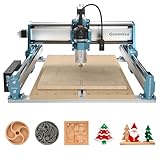


Typical CNC router prices by size and capability
| Machine category | Typical work area | Approximate machine price | Best suited to |
|---|---|---|---|
| Compact hobby machine | About 150 × 150 to 300 × 300 mm (6 × 6 to 12 × 12 in.) | $200–$800 | Engraving, small signs, and learning CNC basics |
| Bench-size hobby router | About 300 × 300 to 600 × 600 mm (12 × 12 to 24 × 24 in.) | $700–$2,500 | Small furniture parts, plaques, and occasional projects |
| Large hobby or prosumer router | About 600 × 600 to 1,200 × 1,200 mm (24 × 24 to 48 × 48 in.) | $2,000–$6,000 | Cabinet parts, larger signs, and regular shop use |
| Heavy-duty or production router | Often 1,200 × 1,200 mm (48 × 48 in.) and larger | $6,000–$20,000+ | Frequent cutting, sheet goods, and small-business production |
These are broad machine-price ranges, not complete installed costs. A machine advertised with a large work area may still have limited cutting height, a light frame, or a spindle that is better suited to engraving than sustained material removal.
Choose by the work you actually do
- Learning or making small parts: A compact machine can be a sensible first CNC if its limited work area fits your projects. Expect to secure stock carefully and make more passes in thicker material.
- Building occasional furniture or signs: A bench-size or larger machine gives you more room for useful parts. Check the usable cutting area against your largest planned workpiece, not just the machine’s outside dimensions.
- Cutting cabinet components or sheet goods: A large work area saves repositioning, but a 4 × 8-foot sheet machine also needs substantial floor space, dust handling, and electrical capacity. Some shops use a smaller router and tile large designs in sections instead.
- Running jobs regularly for income: Prioritize rigidity, dependable motion components, service support, and a controller you can operate consistently. The cheapest machine can cost more in downtime and rework if it needs frequent adjustment.
What drives the price of a CNC router machine?
Work area and frame rigidity
A larger cutting area usually raises the price, but size alone does not guarantee better results. Long rails and a broad gantry need to resist flex; otherwise, the cutter can chatter or leave uneven edges, especially when taking deeper cuts. Steel frames and well-supported gantries generally cost more than light extrusions or assembled plates, but frame design and construction matter as much as the material name.
For woodworking, rigidity is particularly valuable when cutting hardwood, using larger bits, or making repeated passes at production pace. On a small machine used mainly for engraving or shallow cuts, paying a premium for a heavy frame may not improve your work enough to justify the expense.
Router or spindle
Lower-priced machines often use a trim router or compact spindle. A trim router is accessible and easy to replace, though it can be louder and may have less convenient speed control. A dedicated spindle can offer quieter operation, more consistent speed, and better suitability for long jobs, but may require a separate variable-frequency drive (VFD), wiring, cooling, and setup.
Compare the whole spindle package, not only its power rating. Confirm that the collet accepts the shank sizes you plan to use, that the machine can control spindle speed, and that the electrical requirements suit your shop. A more powerful spindle does not make a flexible frame rigid.
Controller, motion components, and software
Controller quality affects setup, job control, and the ability to recover from interruptions. Check whether the machine supports the workflow you intend to use, how it connects to a computer, and whether the manufacturer supplies clear documentation and updates. Stepper motors are common at hobby and prosumer prices; higher-end systems may use servo drives or other motion upgrades for demanding work.
Some machines include basic control software but require separate design or computer-aided manufacturing (CAM) software to turn a drawing into toolpaths. Others bundle more of the workflow. Check what is included, whether a license is perpetual or subscription-based, and whether the software runs on your operating system. “Software included” does not always mean you can go from design to cutting without another purchase.
Budget for the whole setup, not just the machine
Before choosing a model, estimate the cost of getting it safely installed and ready for your first real project. A typical add-on budget might look like this:
- Router, spindle, or VFD not included: roughly $100–$800 or more, depending on the setup.
- Starter cutting bits: about $50–$200. Buy a few suitable cutters rather than a large assortment of unknown quality.
- Workholding: about $50–$300 for clamps, a spoilboard, and basic mounting hardware; vacuum systems can add considerably more.
- Dust collection and connection parts: roughly $100–$600 if you need to add or upgrade a shop vacuum or extractor and make a workable dust shoe setup.
- Design or CAM software: $0–$1,000 or more, depending on the tool and licensing model.
- Electrical, assembly, and shipping: highly variable. Larger machines may need freight delivery, substantial assembly, or a suitable dedicated circuit.
As a planning example, a $1,500 bench-size router could need about $600 in initial extras: $150 for bits, $150 for workholding and a spoilboard, $200 for dust collection improvements, and $100 for electrical or setup items. That makes the practical starting budget about $2,100 before optional upgrades. Use your actual quotes; these figures are allowances, not fixed costs.
Common ownership costs and mistakes
Bits are consumables. They dull or chip, particularly when feed rates, depth of cut, or workholding are poor. Replace cutters when cut quality declines rather than compensating indefinitely with slower settings. A spoilboard also wears as it is surfaced and cut into, so include replacement material in your long-term budget.
Dust is another ownership issue. Fine wood dust can collect on rails, screws, and electronics, leading to rough motion or premature wear. Use effective extraction, clean the machine regularly, and follow the manufacturer’s guidance for lubrication. Avoid overtightening clamps, which can bow the spoilboard or shift the workpiece, and verify the stock is secure before every job.
How much should you spend?
For occasional small projects, a few hundred dollars may be enough to learn, provided you accept limited capacity and more hands-on setup. For a versatile home woodworking machine, budgeting roughly $1,500–$4,000 for the router plus essentials is a more realistic starting point. If you will cut large panels or run jobs often, compare complete packages in the $4,000–$10,000-plus range and weigh frame rigidity, support, and downtime against the initial price.
The best price of a CNC router machine is the one that buys the capacity and reliability your work needs without paying for unused area or features. Measure your largest projects, check the complete spindle and software package, and add tooling, dust collection, workholding, and setup before comparing quotes.