What's inside
As an Amazon Associate I earn from qualifying purchases. This post may contain affiliate links at no extra cost to you.
For installing cabinet knobs and pulls, a cordless drill is usually the better first tool. It is easier to control, drills clean holes, and can drive screws without hammering the fastener. An impact driver can help with long or stubborn screws, but its rapid hammering action makes it easier to damage a cabinet face or strip a small hardware screw.
As an Amazon Associate we earn from qualifying purchases at no extra cost to you.



What we cover
The quick answer
Choose a drill if you need to lay out and drill hardware holes, or if this is a one-off installation. Choose an impact driver if you already own one and need to drive many longer screws into cabinet frames. For most kitchen hardware jobs, a drill with a clutch and a sharp bit is enough; an impact driver is an optional helper, not a requirement.
If you own neither, a cordless drill-driver is the more versatile buy for this work. It drills the holes and drives the screws, while the clutch helps limit how much force reaches the fastener.
What each tool does
A drill-driver turns the bit steadily. Its trigger gives you direct speed control, and most models have an adjustable clutch that slips when a screw reaches the selected resistance. That makes it easier to stop before a screw head, cabinet finish, or soft wood is damaged.
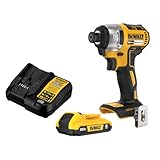
An impact driver also rotates the bit, but adds short bursts of rotational force when resistance rises. The impacts help drive long screws with less effort from your hand. They are useful for cabinet installation screws going into face frames or studs, but can be too aggressive for the small machine screws supplied with knobs and pulls.
Neither tool replaces careful measuring. The hole position depends on the hardware’s center-to-center spacing, not on which driver you use. A paper template or reusable hardware jig helps keep every handle level and aligned.
Drill vs. impact driver for cabinet hardware
| Task or concern | Cordless drill-driver | Impact driver |
|---|---|---|
| Drilling knob or pull holes | Yes; use a sharp bit and steady speed | Not the right choice for normal drilling; use a standard hex-shank drill bit only if suitable |
| Driving small hardware screws | Best choice; clutch helps prevent over-tightening | Higher risk of stripped heads or damaged finish |
| Driving long cabinet or mounting screws | Works, but may stall on dense material | Usually faster and less tiring |
| Control at low speed | Good trigger control, especially on low gear | Can be abrupt when impacts start |
| One-tool value for this job | High: drills and drives | Lower: excellent at driving, less suited to accurate drilling |
Drill the holes with control
Measure the spacing between the mounting holes on the pull, then mark both centers from a cabinet edge or use a jig. Confirm your marks before drilling: a hole that is even 2 or 3 mm off can make a handle sit crooked or prevent its screws from lining up.
Use a bit sized to the screw’s clearance hole. For common cabinet hardware screws, that is often around 3/16 inch, but check the screw and hardware instructions rather than assuming. A bit that is too small can make the screw bind; one that is too large leaves the hardware with less material to grip.
Put painter’s tape over the mark to help reduce surface chipping, and clamp a scrap backer board tightly against the inside of the door or drawer front. Drill straight through at a controlled speed, keeping the bit perpendicular to the surface. The backer supports the fibers as the bit exits and reduces tear-out. Avoid pushing hard: excess pressure can make the bit wander or break through suddenly.
A basic cabinet hardware jig is worthwhile when fitting many handles. For a couple of knobs, careful marking and a backer board may be enough.
Drive screws without damaging the cabinet
Start hardware screws by hand for at least a few turns so they do not cross-thread. Set the drill to low gear and a low clutch setting, then increase the setting only if the screw stops before the hardware is snug. Hold the driver straight and stop when the knob or pull no longer shifts. Over-tightening can crack a finish, crush a thin drawer front, or strip the screw head.
If using an impact driver, use a correctly fitting bit and the lowest speed or assist setting available. Keep firm pressure behind the tool, drive in short bursts, and finish by hand if needed. The impact action can make a small screw turn suddenly, so do not use it to “seat” hardware at full trigger. A quality impact-rated bit set helps with bit durability, but it does not make the tool gentler on the cabinet.
Common mistakes and when the cheaper option is fine
The most common failures are drilling from the wrong side and letting the bit splinter the exit surface, marking pull spacing incorrectly, and driving a screw until its head strips. Drill from the finished face toward the back when practical, with a backer board behind it. If drilling from the back is necessary, a backer is especially important because the bit exits on the visible face.
Do not buy an impact driver just for a small hardware job. If you already have a drill, use it. If you already have an impact driver but no drill, you can install hardware with pre-drilled holes, but borrowing or buying a drill is the better option when you need to make clean holes. A basic cordless drill-driver is usually sufficient; brushless motors, high torque ratings, and large batteries add little value for a handful of knobs and pulls.
For cabinet screws going into a wall or framing, check for wiring and plumbing before drilling, use the correct wall anchor when there is no stud, and follow the anchor’s load rating. Hardware installation into a cabinet front is a precision task; mounting cabinets to a wall is a separate fastening job, where an impact driver may earn its place.