What's inside
As an Amazon Associate I earn from qualifying purchases. This post may contain affiliate links at no extra cost to you.
Particleboard is easy to split, crush, or strip if you drive screws too fast. For most assembly and repair jobs, the best drill is not the most powerful one; it is a cordless drill with a controllable trigger, a clutch that works at low settings, and a compact battery. An impact driver can help with long screws, but it makes it easier to overdrive a fastener before you notice.
As an Amazon Associate we earn from qualifying purchases at no extra cost to you.



What we cover
What to look for in a cordless drill
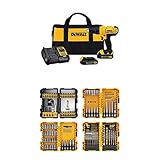
Choose a 12-volt drill for cabinets, flat-pack furniture, and other light work. It is smaller and easier to control in tight spaces. An 18- or 20-volt drill is worthwhile if you also drill larger holes, drive long screws, or work for extended periods. Voltage alone does not tell you how gently a drill will drive: trigger control and clutch behavior matter more for particleboard.
Look for a two-speed gearbox, a variable-speed trigger, and a clutch with several low settings. Use the lower gear for screws; it gives better control and reduces the chance of racing past the screw head. A half-inch chuck is useful if the drill will also handle larger bits, while a compact 3/8-inch chuck is adequate for small assembly screws.
A basic 12-volt cordless drill driver is usually enough for occasional furniture assembly. For mixed household work, a 18- or 20-volt drill driver offers more capacity, though the added weight can make delicate work tiring.
Drill options compared
| Tool type | Best use | Particleboard trade-off |
|---|---|---|
| 12-volt drill driver | Furniture assembly and light repairs | Easy to handle; may bog down on long screws |
| 18- or 20-volt drill driver | Frequent use and mixed drilling tasks | More capacity, but can be heavier and easier to overdrive |
| Impact driver | Occasional long or stubborn screws | Fast driving and less feedback make stripping more likely |
| Manual screwdriver | A few delicate or final turns | Slow, but offers excellent control |
For most buyers, a drill driver is the sensible first purchase. A cordless impact driver is useful if you already own a drill and regularly drive longer fasteners, but it is not a substitute for careful setup. Impact mechanisms can keep turning after the screw is seated, crushing the surface or stripping the hole.
How to drive screws without damaging the board
Use screws intended for particleboard or confirm that the supplied fastener is suitable for the panel. Match the bit closely to the screw head; a loose Phillips or Pozidriv bit cams out, damaging the head and making the screw harder to remove. Keep the bit straight and apply steady pressure rather than pushing hard enough to flex the material.
For a screw near an edge, a pilot hole is cheap insurance. As a starting point, drill a pilot hole close to the screw’s solid core diameter, not the outer thread diameter. For a typical small furniture screw, that often means a bit around 2 to 3 mm, but check the screw and test on scrap when possible. A pilot hole that is too large leaves little thread to grip; one that is too small can force the board apart.
Set the drill to low gear and start with a low clutch setting. Drive until the head is nearly flush, then stop and finish with a hand screwdriver if needed. Clutch numbers vary between drills, so there is no universal setting. Test on an offcut or an inconspicuous area and increase the setting only if the clutch slips before the screw is seated. Do not use the drill’s high-speed drilling mode for driving.
Stop if the screw spins without advancing, the surface begins to pucker, or the head sinks below the face. Those are signs that the threads have lost their grip or the board is being crushed. Backing out and trying again in the same damaged hole usually will not restore holding power.
When an impact driver makes sense
An impact driver can drive a longer screw with less wrist reaction than a drill, particularly when joining thicker panels or driving into a supporting frame. Its drawback is reduced feedback: the impacts can disguise the moment the screw bottoms out. Use a low-speed mode if available, feather the trigger, and stop as soon as the head seats. For short screws in thin particleboard, a drill driver or hand screwdriver is usually the safer choice.
Neither tool fixes weak material. Particleboard edges hold screws poorly, especially after repeated removal. Where the joint matters, use a pilot hole and avoid placing a screw too close to an edge. If an existing hole is stripped, moving the fastener to sound material is often more reliable than forcing in a larger screw, which can split or further crumble the panel.
A practical buying decision
Buy a compact 12-volt drill driver if your work is mostly furniture and cabinet hardware, and you value light weight over speed. Choose an 18- or 20-volt drill driver if you also need to drill larger holes or drive screws into denser materials. Buy an impact driver only when its extra driving force will see regular use; for occasional particleboard assembly, it is an unnecessary complication. Whatever you choose, a sharp bit, a correctly sized pilot hole, and a slow final approach will do more to protect the board than extra battery voltage.